Betwinner Payment
Managing funds on Betwinner is simple thanks to a flexible and user-friendly payment system designed with player convenience in mind. In just a few minutes, users can deposit funds, place bets, and request withdrawals through several popular payment methods. If you’re wondering how to transfer money to Betwinner, the process usually takes only 2–5 steps, depending on the selected option.
Both deposits and withdrawals are handled through secure channels, helping ensure reliable transactions and quick processing times. With multiple payment options available and clear instructions for how to transfer money to Betwinner, players can easily control their balance and focus on their betting experience without unnecessary delays.
Payment Methods Available in India
To view available payment methods, Betwinner prompts users to select their country via the dropdown menu at the top-left corner of the page.

This ensures that only locally supported methods are displayed. For India, the platform provides access to a broad range of services including:
- Bank cards (Visa, MasterCard)
- UPI (Unified Payments Interface)
- NetBanking
- E-wallets like Paytm, PhonePe, Google Pay
- Cryptocurrencies (Bitcoin, Ethereum, etc.)
Each method includes clear information such as transaction limits, processing times, and any applicable fees. Most deposit methods are instant and free of charge.

Depositing Funds
To deposit funds, users can click the “Deposit” option from the main menu. This leads to a personalized deposit page where your account number is displayed for verification.

The deposit interface shows a categorized list of available payment methods, with some labeled as “Recommended” based on convenience and popularity in your region. After selecting a method, you’ll be guided through entering the deposit amount and confirming the transaction. Most deposits are processed instantly, allowing you to start playing without delay.
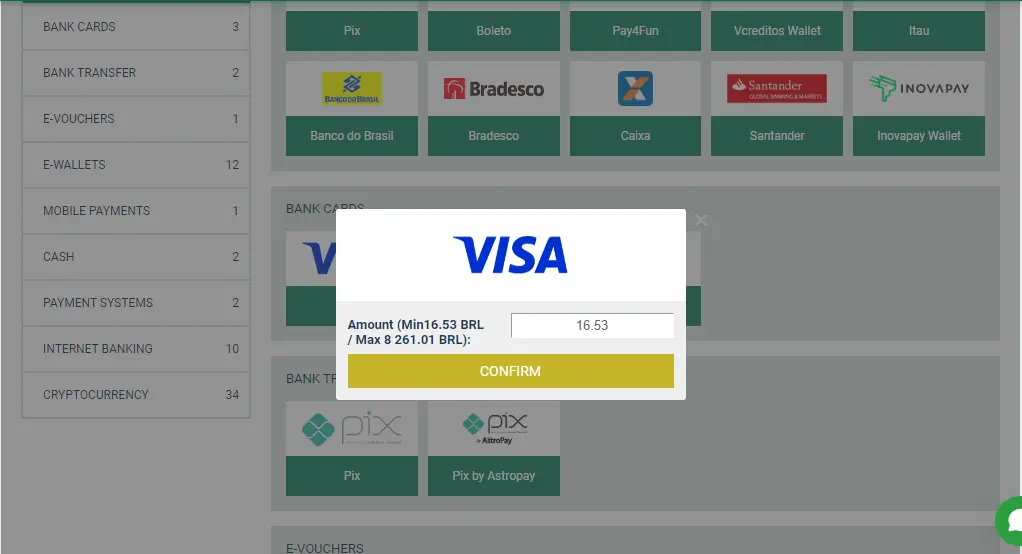
There are no hidden charges on deposits, and minimum amounts are usually low, making it accessible even for casual users.
Withdrawing Funds
Withdrawals on Betwinner are just as streamlined. Access the “Withdraw Funds” section via the same dropdown menu.

Here, users can see all available withdrawal methods sorted into logical groups such as bank transfers, e-wallets, and crypto.

Each method provides details on the minimum and maximum withdrawal limits, expected processing time, and any necessary account or identification information. After selecting a method, you’ll need to fill out the withdrawal form, specify the amount, and confirm the transaction.

Processing times vary depending on the method. E-wallets and UPI tend to be quicker, while bank transfers might take longer. Betwinner does not charge internal fees for most withdrawals, but your payment provider may apply its own charges.
Navigation and User Experience
The payment interface is designed to be intuitive. Tabs at the top of the page let you switch between “Deposit” and “Withdraw” easily. Each action is backed by clear visual indicators, such as payment provider logos and confirmation prompts, to help avoid errors.
Betwinner’s real-time adjustment to local payment systems makes it especially functional for Indian users. Whether you prefer traditional banking or crypto transactions, the platform accommodates your choice with transparency and efficiency.
FAQ
Betwinner supports a wide range of local payment methods in India, including UPI, Paytm, PhonePe, Google Pay, NetBanking, bank cards (Visa/MasterCard), and cryptocurrencies like Bitcoin. Available options may vary slightly based on your region and are shown once you select “India” in the country dropdown menu.